Skip to content

Subtitles for streaming

LYRI’s streaming subtitles let audiences at home follow the live show with text in several languages. The original video does not change. The subtitles work live and afterwards too: with the SRT files (files with the subtitle texts and timings), they stay available on the recorded video.

Your performance, worldwide, without borders.

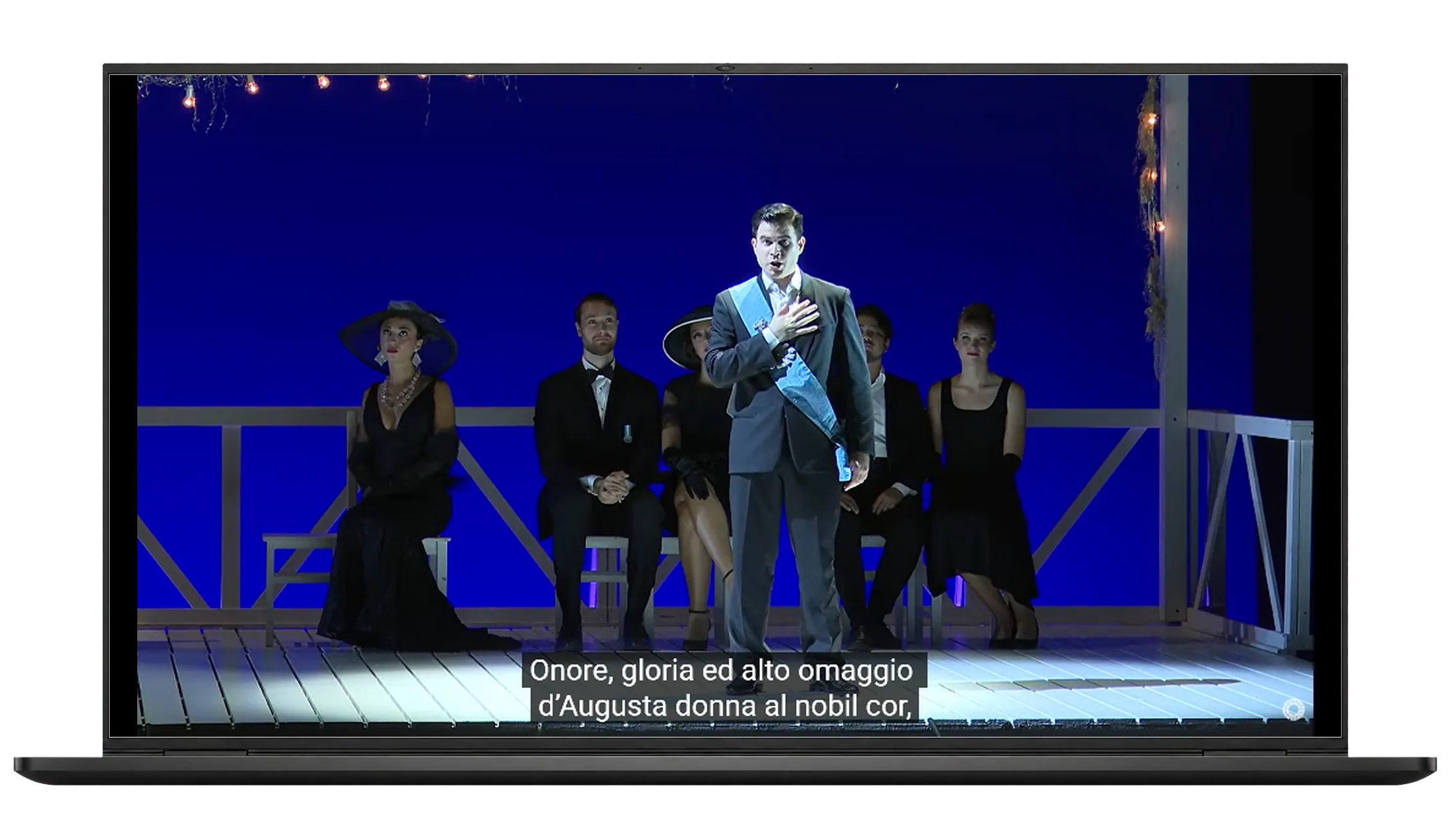
Laptop playing a streamed opera with subtitles over the video

With the LYRI interface, audiences at home follow the live stream and turn on the text in their own language.
This is the innovation of Live Closed Captions (CC): a tailored experience. Each user decides how to use the text. An operator in the auditorium manages the text live. The system aligns it automatically with the video you are watching.

This way, the subtitles appear in perfect sync with the performer’s voice on your screen, even if the broadcast is delayed.
The original video stays clean, with no subtitles burned into the frames. At the end of the event, we provide multilingual tracks ready for YouTube. No editing work and zero post-production. We reduce the technical load to maximise inclusion.

The benefits of our service:

The real innovation is Live Closed Captions (CC). In traditional systems, text sent live stays fixed in the video stream. Not here: the LYRI frame overlays it dynamically. The video stays intact, and each person can choose or turn off the language in real time.

Freedom for the viewer: audiences at home can turn subtitles on or off, or change their language, on their own.

Instant SRT files: SRT files are the standard subtitle format. They hold the text and the exact moment it appears on screen. At the end of the event, the LYRI system gives them to you straight away. They are already in sync and ready to upload to platforms like YouTube.

No post-production: the theatre or organising body does not need to re-edit or re-upload the original video. Working time for the whole production drops to zero.

Zero views lost: the YouTube live link stays the same and stays online. So all the statistics, comments and interactions collected during the performance are kept.

Remote display on a PC in the control room: the texts can also reach a computer far from the theatre hall. For example, in the streaming control room, in another hall or at another site. The computer receives the texts live, over the internet. Each box shows one language, with its own font, colours and position.

We have produced
surtitles for:

Opera Vision - Opera Europa
National Theater Mannheim & Opera Vision

La traviata (2024)

Live streaming on YouTube with closed captions in 3 languages: Italian, English and German. Closed captions are subtitles that are not part of the video.
SERVICES OFFERED
Computer
Live streaming subtitles on YouTube
Multilingual
Multilingual
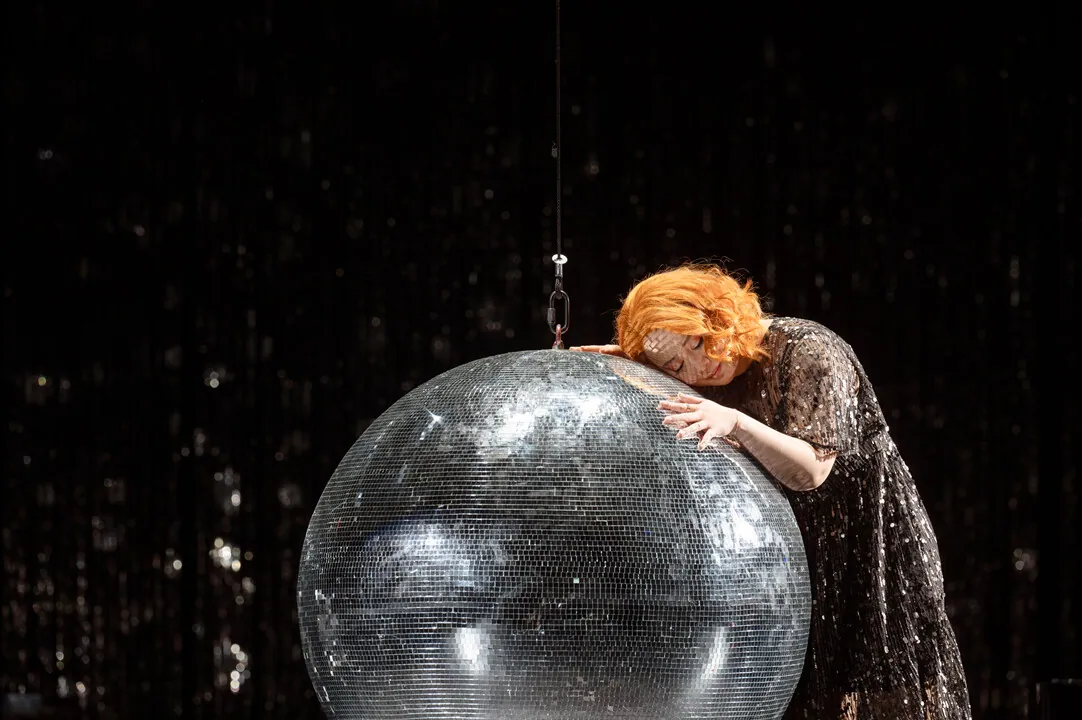
A singer embracing a large mirrored disco ball in a scene from “La traviata”

OperaVision is a free streaming platform. The European Union’s Creative Europe programme supports it. Opera Europa runs it. It works as a real digital stage. It shows opera, dance and concerts, live and on demand. It connects more than 40 theatres and opera companies. Subtitles in several languages open this content to an international audience.
On 9 November 2024, we worked with the Nationaltheater Mannheim. We provided live subtitles on OperaVision’s YouTube channel. They were in three languages: Italian, English and German. People at home could follow the opera in real time. They could choose one of the three languages. Just like any other YouTube video? Yes, but live!

Streaming subtitles FAQ

Here are the questions people ask most about our streaming subtitle service.

Which platforms work with your streaming subtitle system?

Our player works well with the main platforms, such as YouTube. It shows subtitles in real time.

How many devices can be connected to the stream?

There is no limit. The system sends the live event’s subtitles to all connected devices at the same time.

Does the service keep the view count on the original YouTube video?

Yes. Streaming subtitles are added to the stream and never change the frames of the video. At the end of the live stream, you can upload the multilingual SRT files created by the system straight to the platform. You do it all on your own, and the original video stays intact.

Can the text always be visible on screen, instead of being turned on by the user?

Absolutely. The real strength of our system is Closed Captions (CC), which users manage on their own. But LYRI can also broadcast subtitles in the classic Open Captions (OC) mode. In this mode the text stays permanently in the video for everyone.

What is an SRT file?

It is the standard subtitle format. It contains the texts and the exact moment each one appears on screen. At the end of the event LYRI gives you the SRT files, already synchronised and ready to upload to platforms such as YouTube.

Do I need a dedicated operator?

Yes. An operator in the auditorium manages the texts live. The system aligns them automatically with the video the viewer is watching.

Does the viewer need to install anything?

Not on a computer: viewers watch directly in the player with the subtitles. On a smartphone, the free LYRI app is needed.

How many languages can be offered at the same time?

All the languages prepared for the event, with no fixed limit. Viewers choose the one they prefer.